What shall we do?
Less screen time for them, zero headache for you.
Ideas for children 0–12, matched to your time, energy and weather.

Try this
Build a blanket fort
One shake, one idea.
01
Shake your phone
Or tap the button — same result. One gesture, done with the hand that isn’t holding a child.
02
It reads the moment
Weather, time, energy, ages and where you are: home, outside, a restaurant, a trip, a wait. And whether you’re joining in. Set in a second — or type or say it in one sentence with Tell Snowlan; the filters are remembered for next time.
03
One idea, then play it
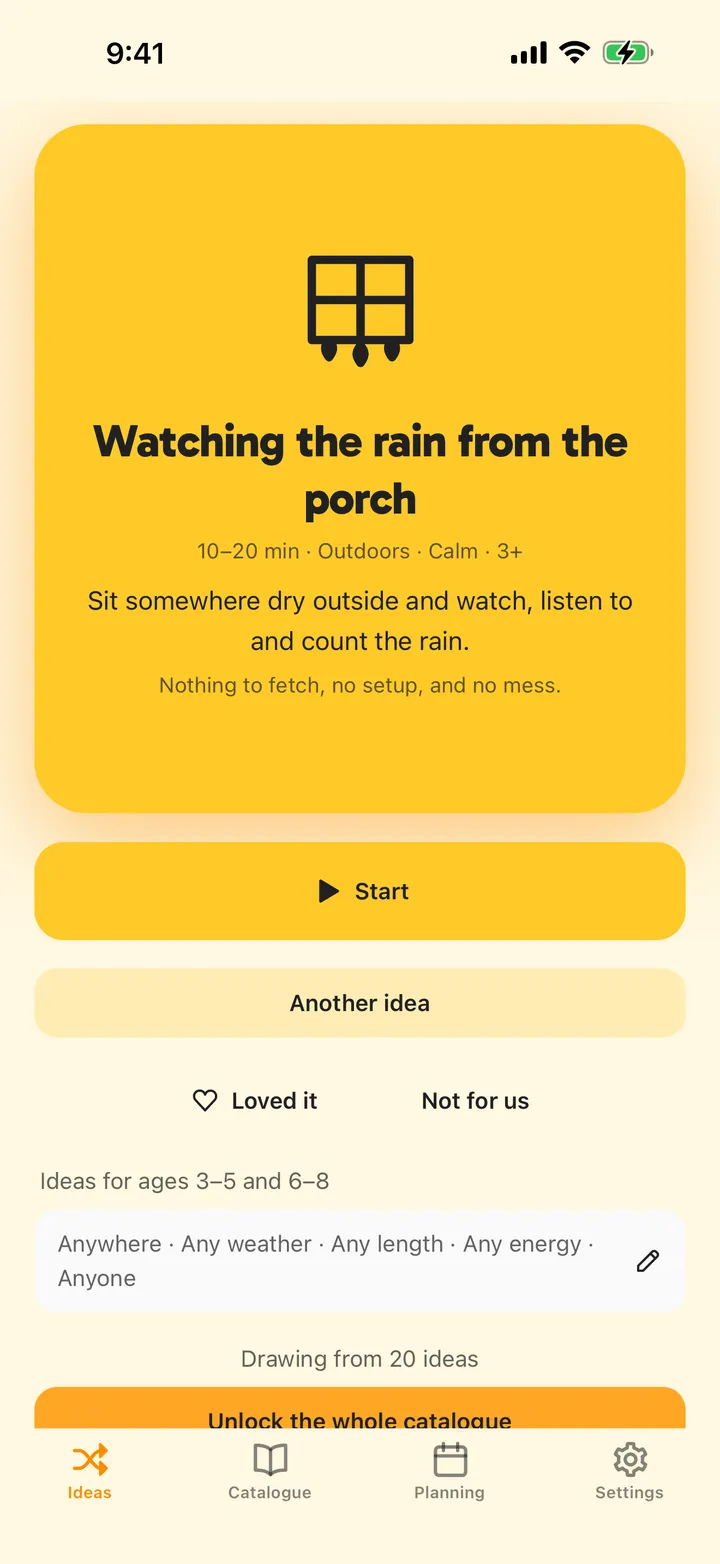
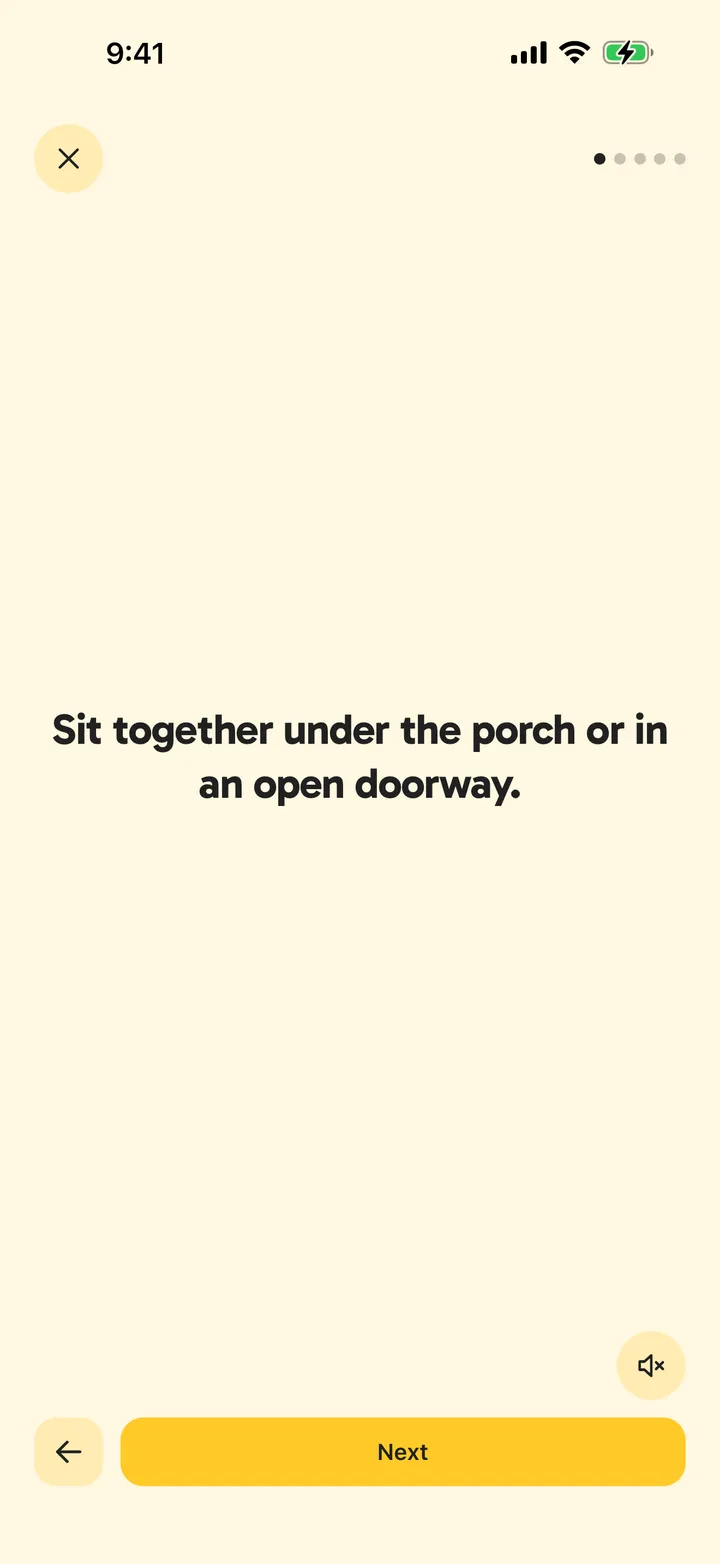
The card shows what it is, what you need and why it fits. Tap Start: one step per screen, a timer when the game needs one, read aloud if you like. Not the one? Tap Another idea or shake again; after three, say what’s wrong and the next one adapts. Mark the ideas you loved: Snowlan remembers them and rotates the rest.
See it in the app
Try it
It’s , we have and the kids are .
Tap a word to change it. Every combination has an answer.
- Build a blanket fort
- Bake a cake
- Scavenger hunt
- Fly a kite
- Big puzzle
- Soap bubbles
- Splash in puddles
- Kitchen karaoke
- Stargazing
- Origami
- Picnic
- Hopscotch
214
Ideas, filtered however you like.
Sport, nature, cooking, building, calm… each idea drawn by us, tagged with the space, time and age it needs. Add your own too.
Morning
Bake a cake
Afternoon
Scavenger hunt
Evening
Stargazing
Three moments, three ideas.
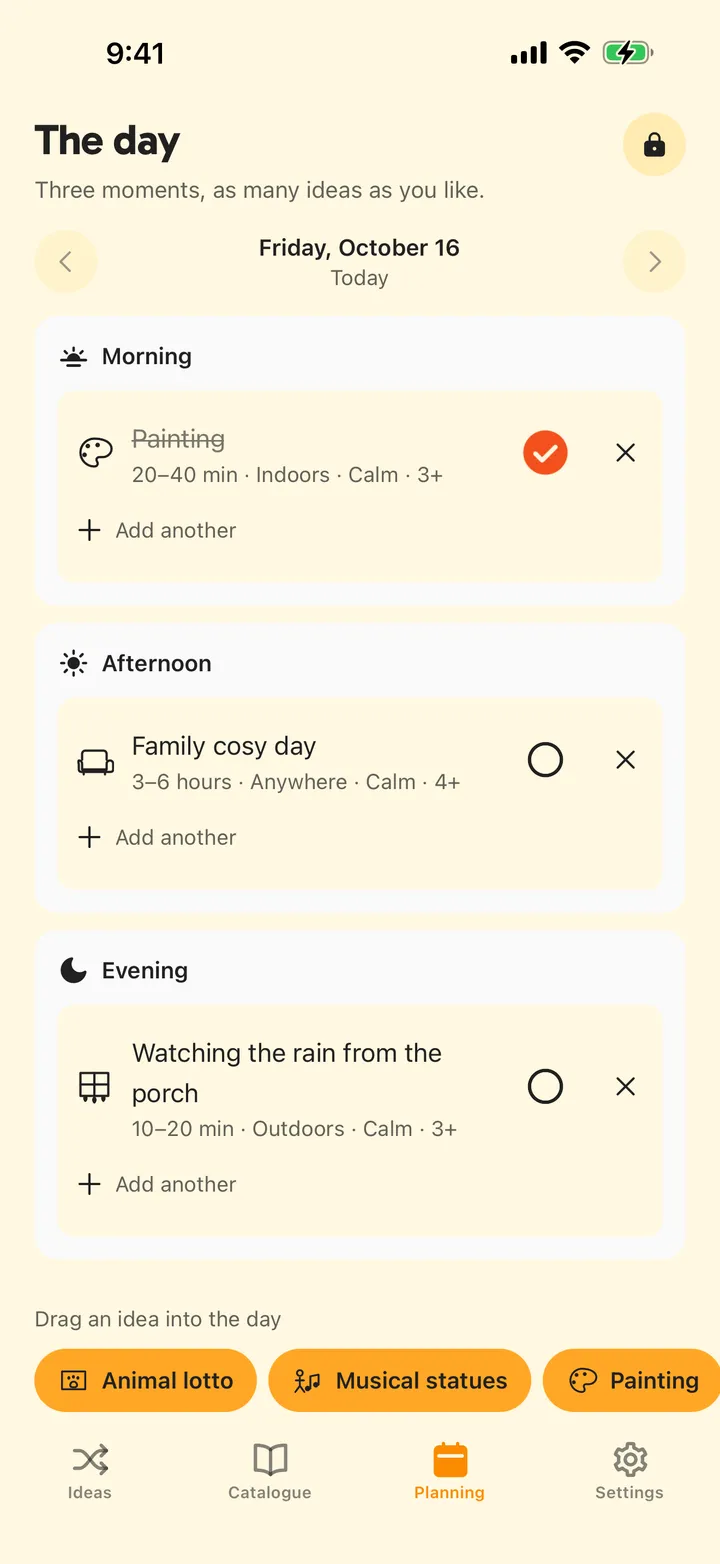
Drag an idea into the morning, afternoon or evening. Print the day as a PDF and stick it on the fridge.
Works with no connection, anywhere.
Playground, train, grandma’s basement. The ideas and step-by-step play live on the phone; “Show me” demos need a connection when they aren’t already saved on the phone.
No account, and your data stays on this phone.
No sign-up, no cloud. Deleting the app deletes your data.
One payment. No subscription, ever.
Paid once on iPhone, tied to your Apple account. The free version keeps working exactly as it does now.
Questions
Does it need an internet connection?
Not for everyday use. The catalogue, your children, your plans — everything is stored on the phone, and nothing you do day to day needs a network or an account. A connection is needed to buy Premium and download its extra ideas (they then stay on the phone), to use Send feedback in Settings, and to fetch a “Show me” demo that isn’t already saved on the phone. With Premium, the app checks for new ideas about once a day, when you open it — offline, it simply keeps what it has.
Is there a subscription?
No. Premium is a single purchase through the App Store — on iPhone today, coming to Android. The free version stays free.
Does it work on Android?
Yes — Snowlan is free on Google Play, with the same ideas and the same step-by-step play. Premium isn’t on sale for Android yet; it’s coming.
Which ages is it for?
Children from 0 to 12, in four age ranges. Register up to five children; ideas are matched to any of them.
Can Snowlan remind me?
Yes, if you want it to. In Settings › Reminders, switch on reminders for the activities you planned — at the morning, afternoon or evening time you pick — and, if you like, a weekend idea on Saturday morning when nothing is planned for that day. They stay off until you turn them on, and your phone schedules them itself: no account, nothing sent.
What data do you collect?
The app collects no usage data — no analytics, no tracking, no account. Your children, your activities, your plans and what you’ve played never leave the phone. Two things travel on their own. The purchase check: RevenueCat, which handles Premium on every phone whether or not you buy, receives an anonymous identifier created on the device and your purchase status. And with Premium, that identifier also goes to our content server about once a day, when you open the app, to fetch new ideas. Feedback you choose to send from Settings is emailed to us. The privacy page spells it out.
Which languages?
English, French, Spanish, German, Italian, Portuguese, Japanese, Arabic and Traditional Chinese, following your phone’s language.
Free to download.